Hash it. Verify it. Know what it proves.
HashLume computes seven digests for files and whole folders on your Mac, checks them against what you were given, and tells you plainly what a match does and does not establish.
Change one bit. Watch half the digest move.
This is HashLume's first lesson, running in your browser. Type anything, then flip a single bit and compare the two SHA-256 digests.
Computed in this page with your browser's own SHA-256. Nothing you type is sent anywhere. In the app, the same lab also runs every algorithm against its published test vector, and finds a CRC32 collision while you watch.
Hashing, verifying and exporting: free, with no limits.
No trial, nothing that expires, no account. A signed record, the Sealed Certificate, is an optional purchase.
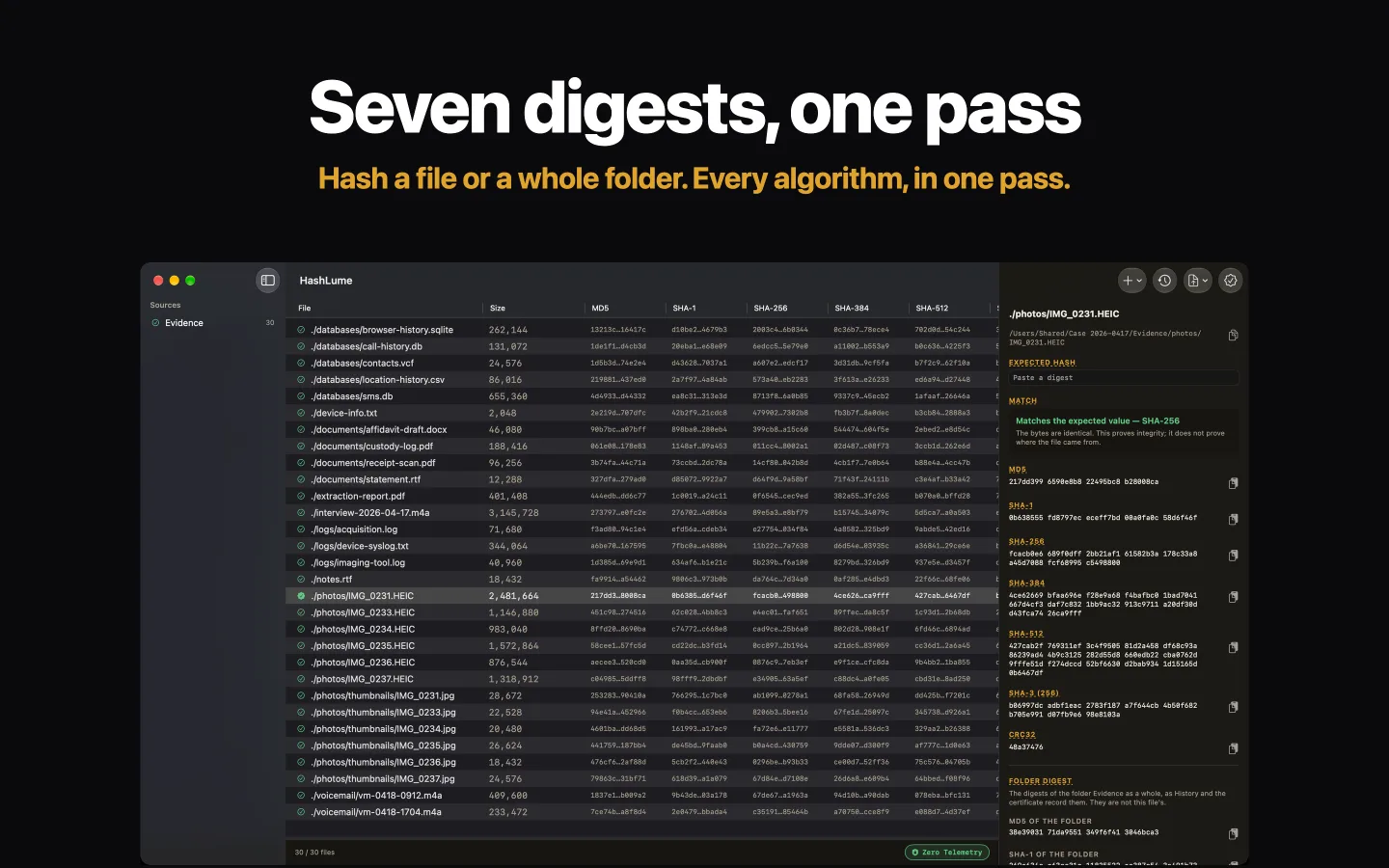
Seven digests, one pass
MD5, SHA-1, SHA-256, SHA-384, SHA-512, SHA3-256 and CRC32 for every file, computed together. Drop files or folders anywhere on the window.
Whole folders, reproducibly
One row per file, plus the folder's own digest. Anyone can recompute the folder's SHA-1 and SHA-2 digests with the shasum command already on their Mac.
Verify what you were given
Paste a digest and see plainly whether it matches. Or check a shasum, sha256sum, BSD or hashdeep manifest file by file; anything it names that is missing is listed.
A changing file is refused
If a file changes, or may have changed, while HashLume reads it, the result is refused rather than recorded, and you are told why.
Free exports and History
A spreadsheet (CSV), a manifest for shasum -c and a hashdeep audit file. Anything left out is named in the file. The History keeps your last 1,000 results.
Built to be learned from
A 19-chapter User Guide with exercises, a glossary of the words that trip people up, and a hands-on lab. Underlined terms in the app open a plain explanation.
Not every match means the same thing.
HashLume tells you which algorithm matched, and what that match can carry.
The bytes are identical
A SHA-2 or SHA-3 match shows the two files hold exactly the same bytes.
Strong, not proof on its own
Two different files can be made to share these digests. A match is still strong evidence if nobody could have prepared such a pair before the value was recorded.
A checksum, not a hash
It catches accidental damage. Anyone can make a CRC32 match on purpose, and the app's lab finds one while you watch.
Never where a file came from
No digest says who made a file or where it has been. HashLume never claims it does.
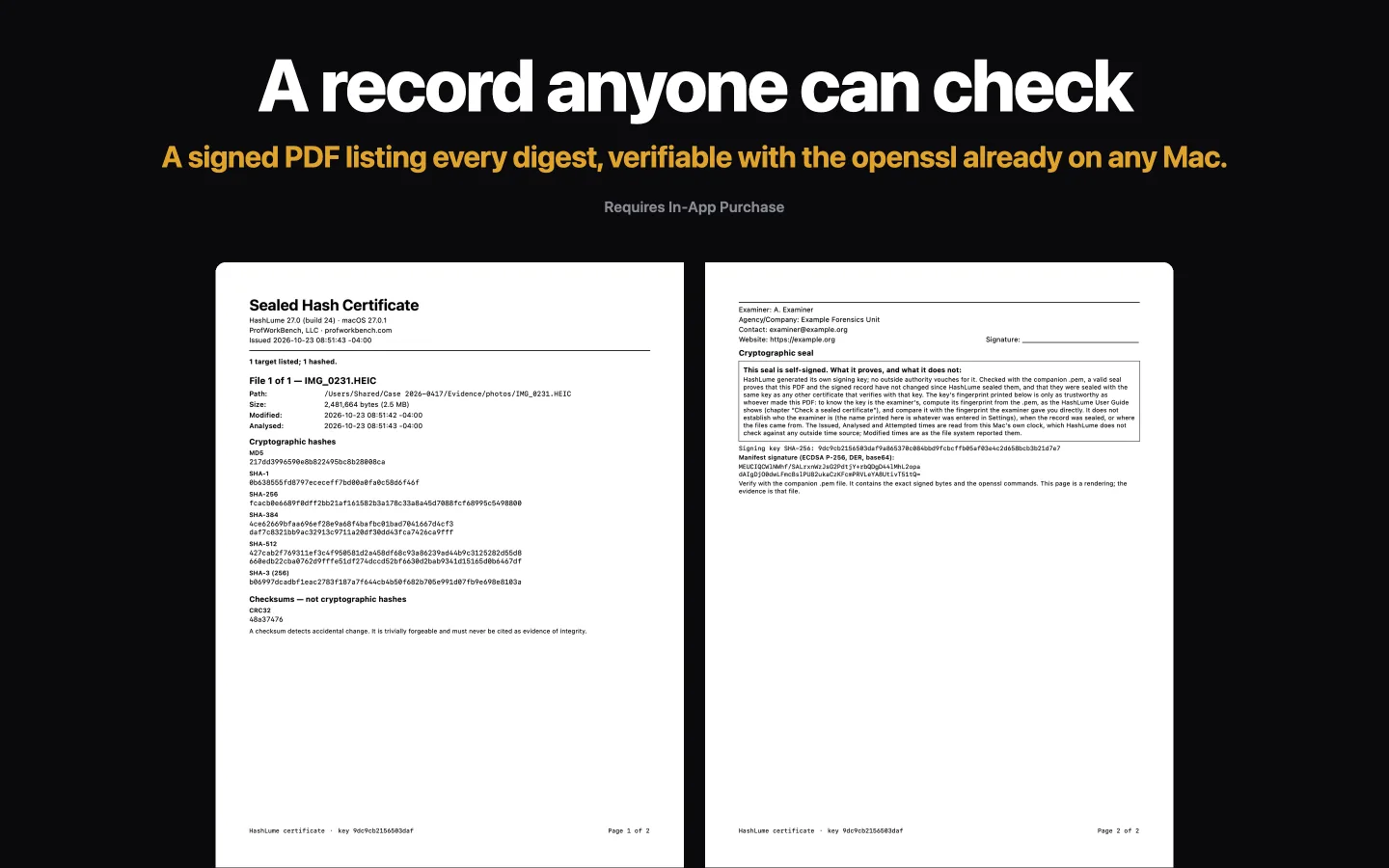
A record anyone can check.
The Sealed Certificate is a PDF of what you hashed: each file's or folder's size, timestamps and digests, with the examiner details you set. HashLume signs it with a P-256 key kept in your Mac's keychain.
Beside it goes a .pem file holding the exact signed bytes and the commands. Anyone with a Mac can check it with the openssl it already has, with nothing to install:
The recipient also compares your key's fingerprint with the one you gave them. The User Guide walks through every step.
What the seal does not prove
The certificate is self-signed and not certified by any authority. It proves the record has not changed since it was sealed with your key. It does not prove who you are, when it was sealed, or where the files came from, and it says so on its own page.
A native Mac workbench.
These are HashLume 27.0's App Store screenshots. Click through.
Your files stay on your Mac.
Here is everything HashLume does with the network, in full.
Read-only, on your Mac
Files are opened read-only and hashed where they sit. Nothing is copied, moved, rewritten or uploaded. The macOS App Sandbox lets HashLume read only what you choose or drop on it.
Nothing sent to us
No crash logs, usage data, file names or digests are sent to ProfWorkBench. No analytics, no accounts, no ads.
One connection, to Apple
HashLume asks Apple's App Store about the Sealed Certificate when it starts, and again when you buy or restore it. That traffic goes to Apple, not to us. It is the only connection the app makes.
Free to use. One optional purchase.
You never need the certificate to hash or verify anything.
- All seven algorithms, on files and whole folders
- Verify against a digest or a manifest
- CSV, shasum and hashdeep exports, and the History
- The User Guide, glossary and lab
- A signed PDF of your results
- A .pem file anyone can check with openssl
- Your examiner details, covered by the signature